

Register an app
Each app that signs users in with rNet needs its own Client ID, Client secret and redirect URI. You need a developer account.
Create the app
2
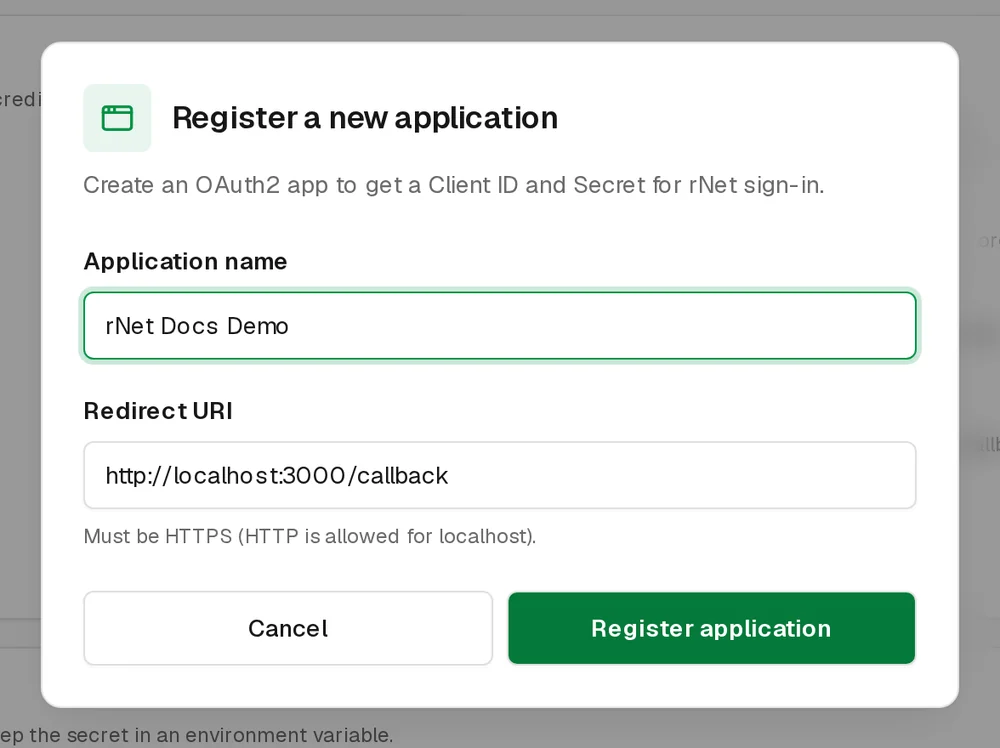
Name it and set the redirect URI
Application name is shown to users on the consent screen. Redirect URI is where rNet sends users after they sign in. Then choose Register application.
3
Copy your credentials
Copy the Client ID and the Client secret, then choose I've copied my secret.
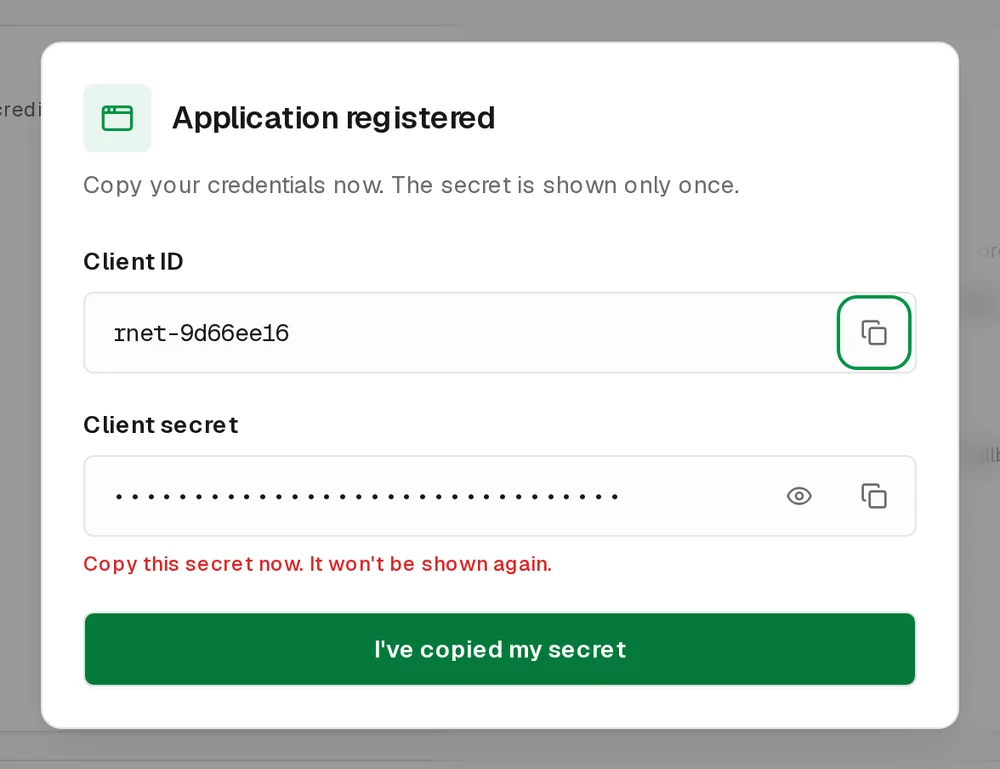
The secret is shown only once
Store the Client secret on your server (for example in an environment variable). Never put it in browser code, a mobile app or a public repository. If you lose it, delete the app and register a new one.
bash
# .env (server only)
RNET_CLIENT_ID=rnet-xxxxxxxx
RNET_CLIENT_SECRET=your-client-secret
Redirect URI rules
rNet only redirects to the URI saved for your app, and the URI your code sends must match it exactly, including the path.
| Use | Example |
|---|---|
| Production web app | https://yourapp.com/callback |
| Local development (HTTP allowed) | http://localhost:3000/callback |
| Desktop or editor extension (custom scheme) | vscode://your-publisher.your-extension/auth-callback |
Manage the app
Select an app in the Developer Console to open Application settings:
- Last 30 days: users, requests and credits for this app.
- Client ID: copy it any time.
- Redirect URI: edit it and choose Save.
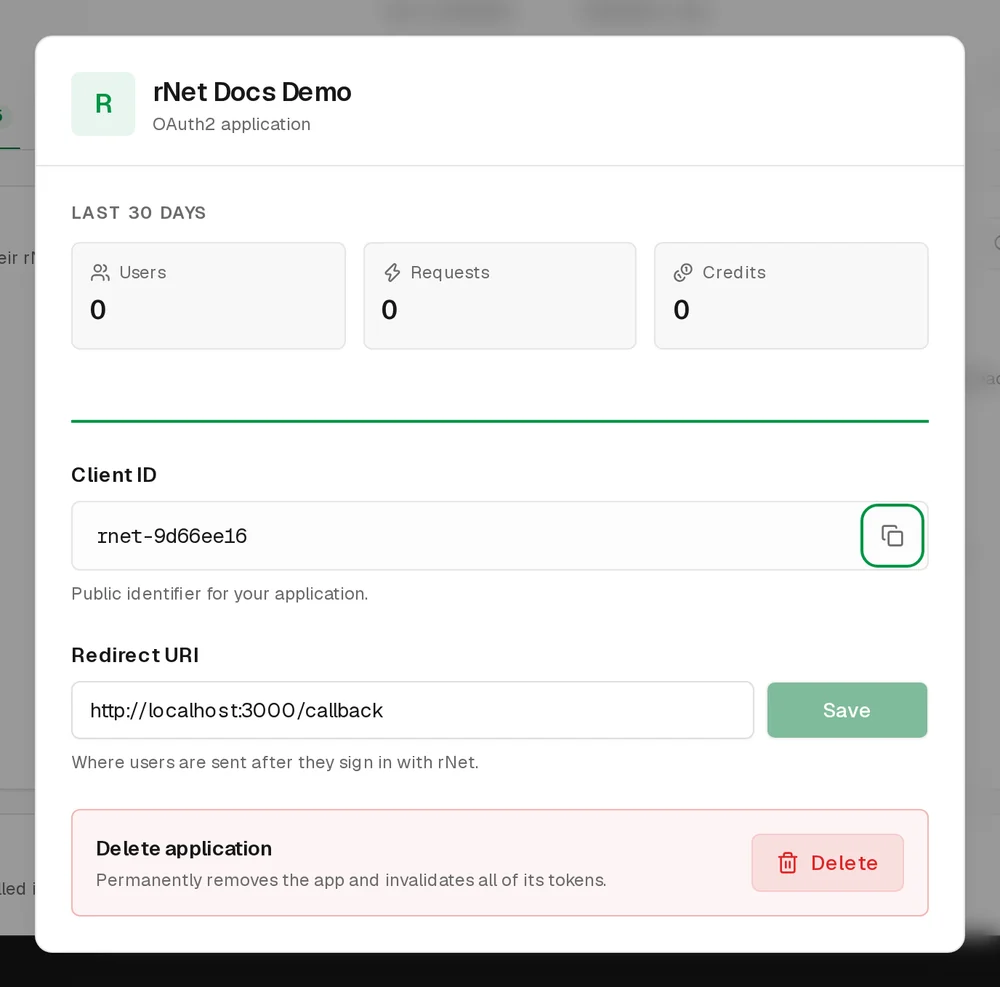
Delete the app
In Application settings, choose Delete, then Yes, delete app. Deleting is permanent: the Client ID stops working and every user's tokens for the app are invalidated.